Buy your own domain on Vercel (optional)
Step by step, with screenshots: search for a name, avoid the cheap-first-year renewal trap, buy it, and have Claude Code point it at your website.
Your website already gets a free address like yourname.vercel.app. A domain of your own, like yourname.com, looks sharper on a resume and costs about $10-15 a year.
This is optional. Do it after Get your Vercel token, since Claude Code uses that token to connect the domain.
1. Open Domains, then Buy
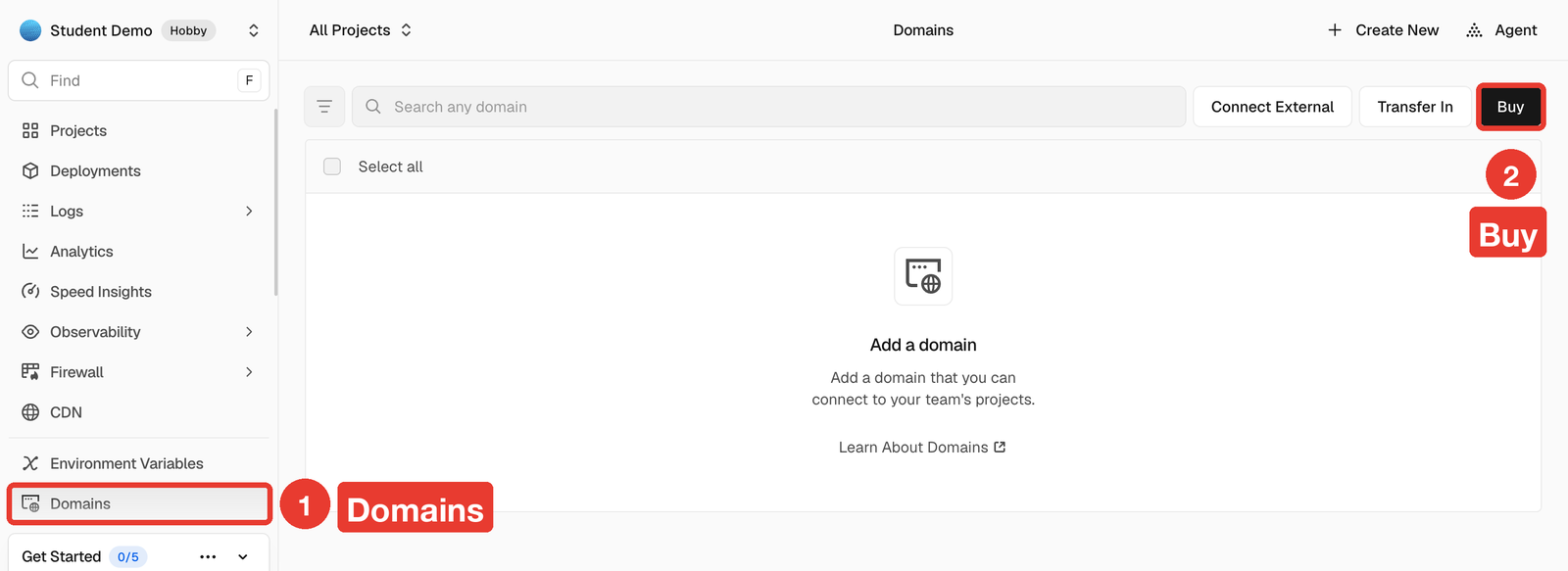
In your Vercel dashboard, click Domains in the left sidebar, then the black Buy button at the top right.
2. Search, and pick a .com
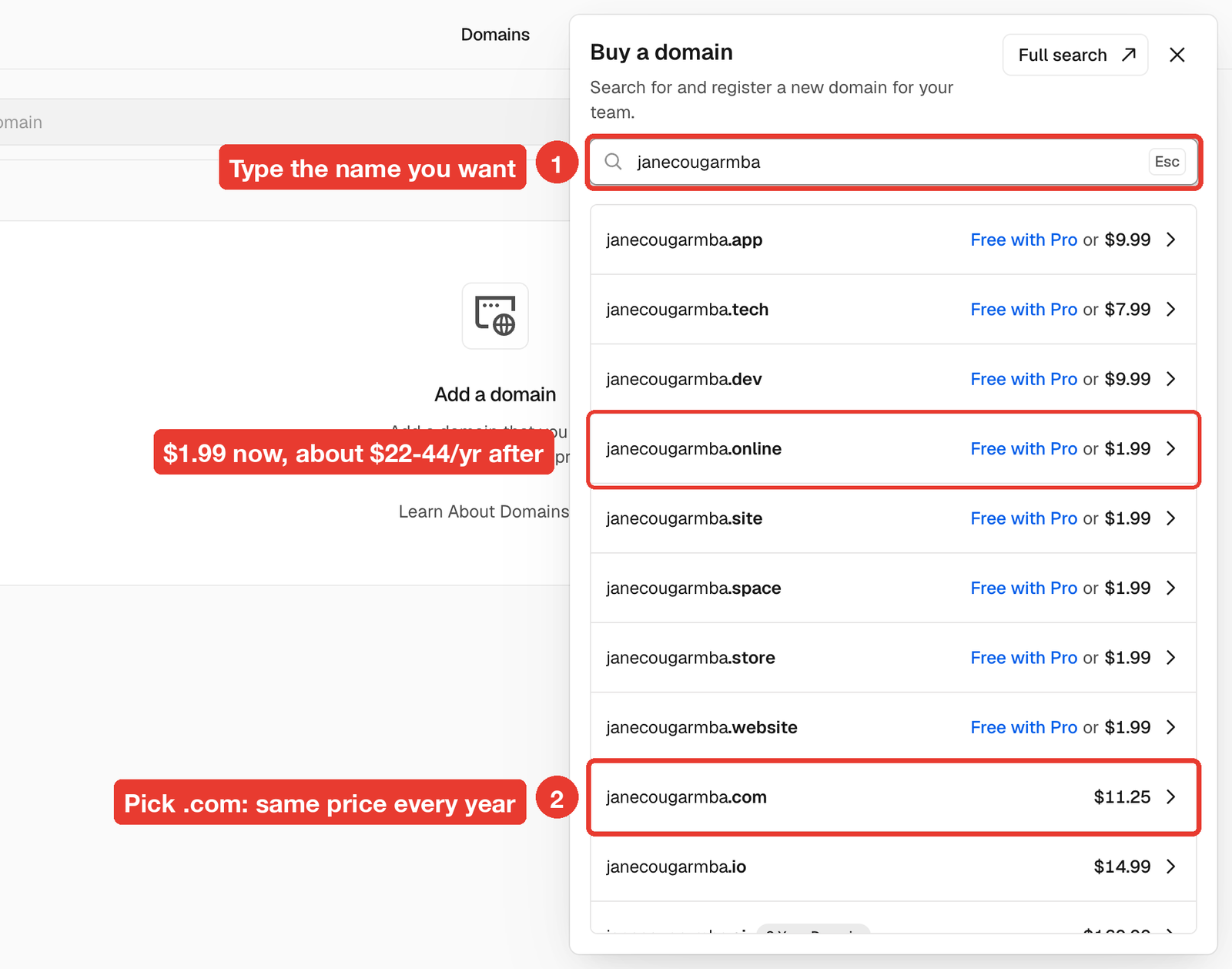
Type the name you want. Vercel lists the endings that are available, each with its price.
Pick .com when you can. Its first-year price is the same as what it costs every year after.
3. Enter your billing details
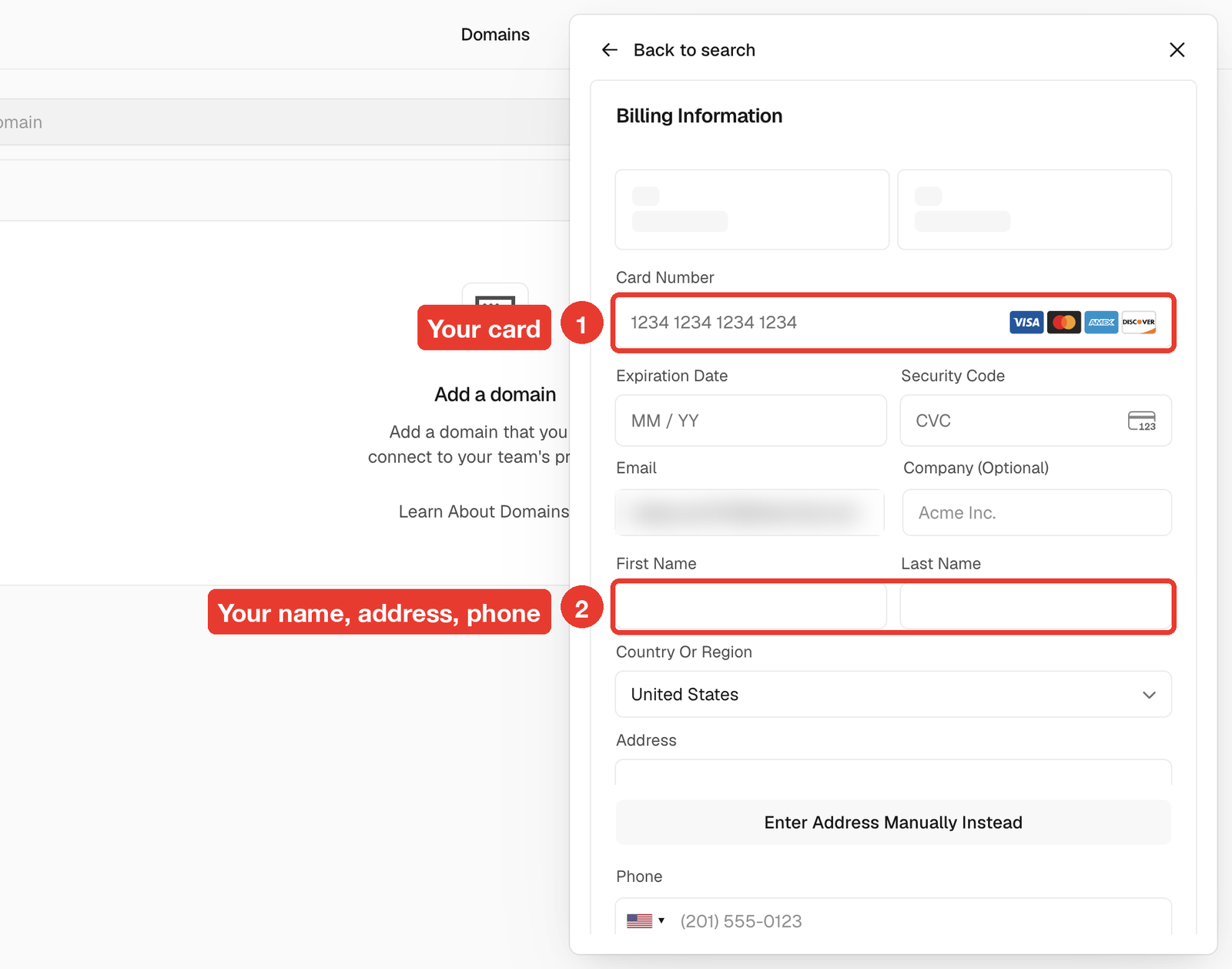
Click your domain. Fill in your card, then your name, address and phone. Domain registration requires a real contact address.
4. Check the total, then Buy
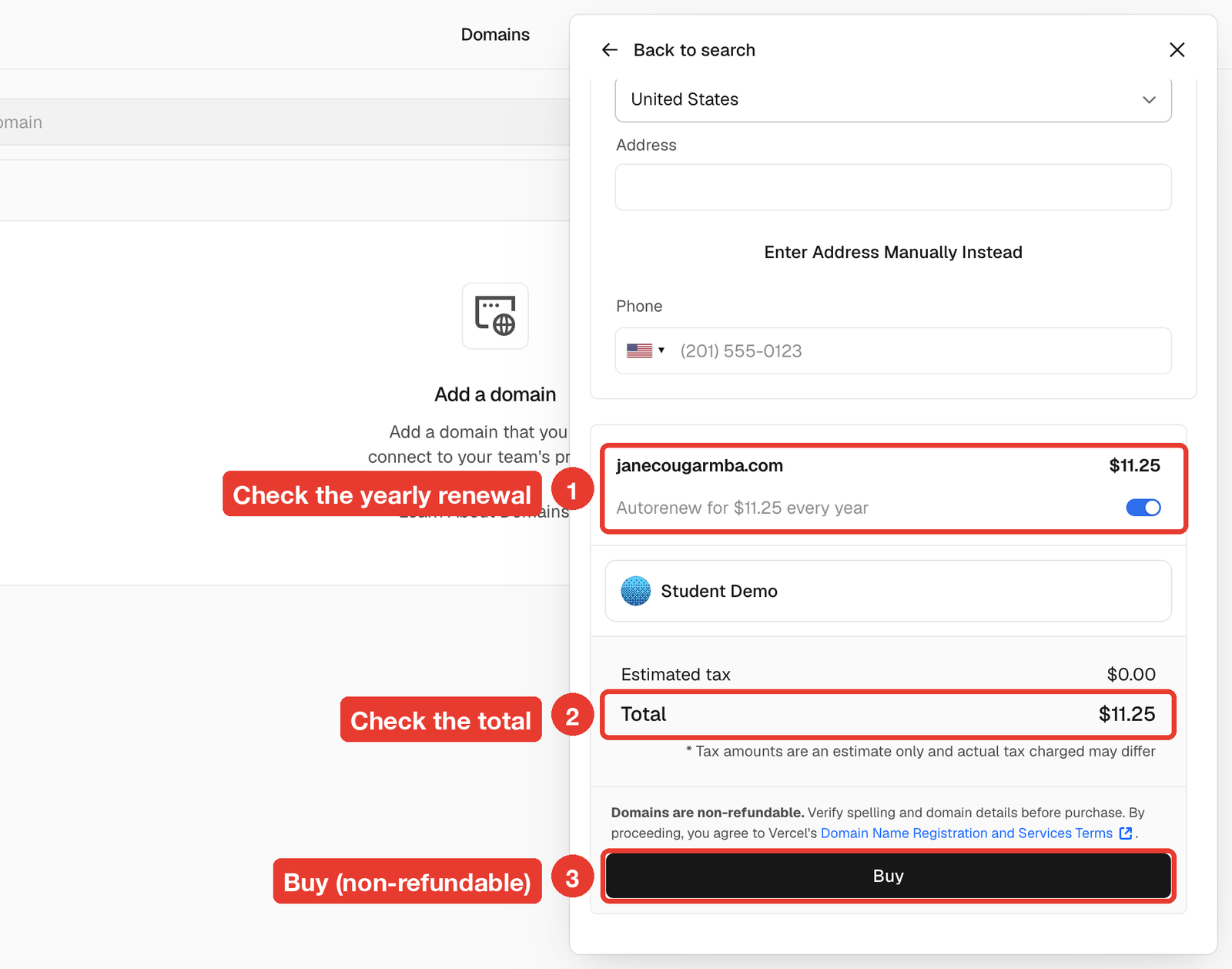
Scroll down. Check three things before you click:
- Renewal: the line under the domain shows what it costs every year. Autorenew is on by default so you don't lose the name.
- Total: the amount charged today.
- Buy: this is final. Domains are non-refundable.
5. Have Claude Code connect it
Once you've bought it, open Claude Code in your website's folder and paste this, with your domain in place of yourname.com:
I just bought yourname.com on Vercel. Using my VERCEL_TOKEN, add it to my
portfolio project as the main domain, along with www.yourname.com, then
tell me when https://yourname.com loads my site.
A new domain can take a few minutes to start working. If it doesn't load right away, wait 10 minutes and try again.